Troubleshooting
If you encounter issues viewing or loading images in the viewer, please try some of the steps below.
Reset browser cache (use CHROME for this)
-
Load the viewer page at https://dicomviewer.net/viewer
-
BEFORE uploading any files, hit F12 to open chrome developer tools.
-
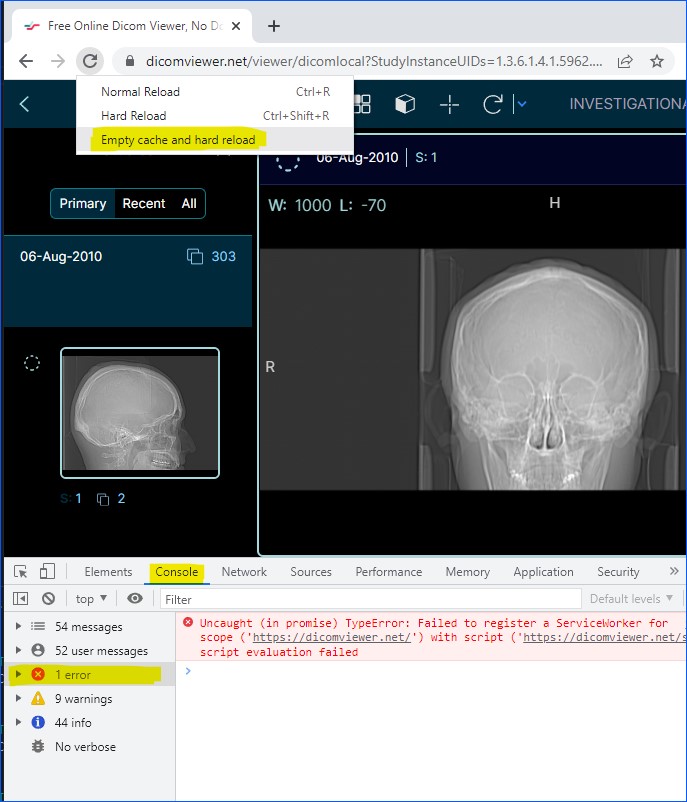
Right click the refresh icon on top left and click "Empty cache and hard reload"
-
Continue with normal dicom file or folder upload
-
If you still have issues with blank screen or images not loading, check the CONSOLE tab at the bottom of
screen and review the ERRORS in red by clicking on the Error link in the left.
Launch Viewer..